Manage branches
Branches let you separate teams or locations under one organisation.
A branch is a sub-unit of your organisation: a city office, a product line, a regional team. Leads, lists and members can be scoped to specific branches so each group sees the right slice of data.
Branch overview
Open your organisation page to see every branch listed in one place. Each card shows the branch name, address, member count and whether it is the headquarters. From here you can jump into a branch profile, create a new one, or set favourites for faster navigation.
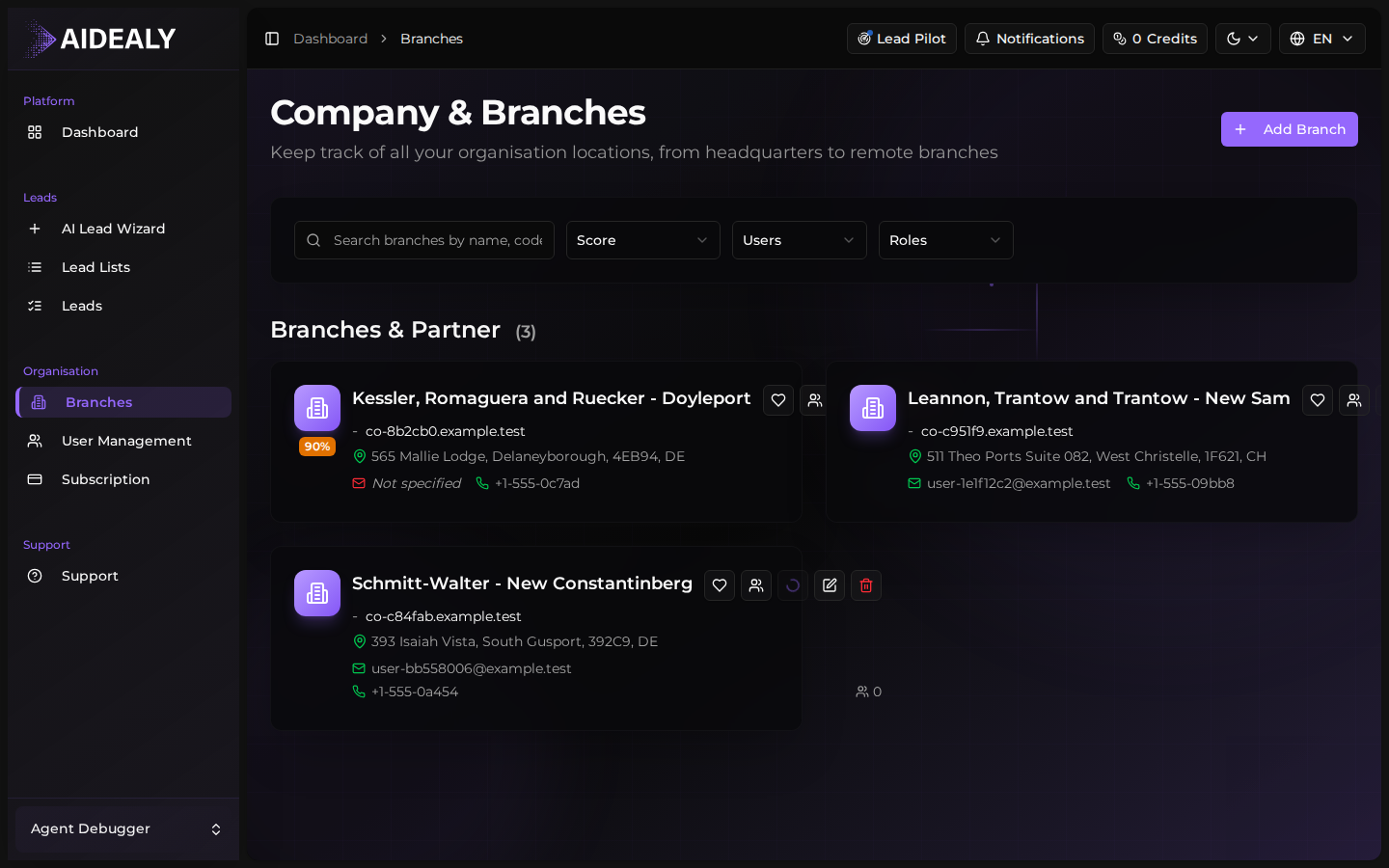
Headquarters vs other branches
Every organisation has exactly one branch flagged as Headquarters. The HQ is the default scope for new members and the fallback when no branch is selected. Other branches behave the same as the HQ — same features, same permissions — but the HQ flag determines defaults across the app.
You can change which branch is the HQ from the branch profile page. The previous HQ becomes a regular branch, and the new one inherits the defaults.
One HQ per organisation
There is always exactly one Headquarters. You can swap which branch holds the title at any time, but you cannot have zero or two.