Contact support
Open a support ticket, reply on a thread, and close it when resolved.
If you're stuck or something looks wrong, open a support ticket and the Aidealy team will pick it up. Tickets keep the whole conversation in one thread, so you don't have to dig through emails to remember what was said. You'll get a notification in the app whenever there's a new reply, and you can close the ticket yourself once the issue is resolved.
Open a support ticket
- 1
Navigate to Support
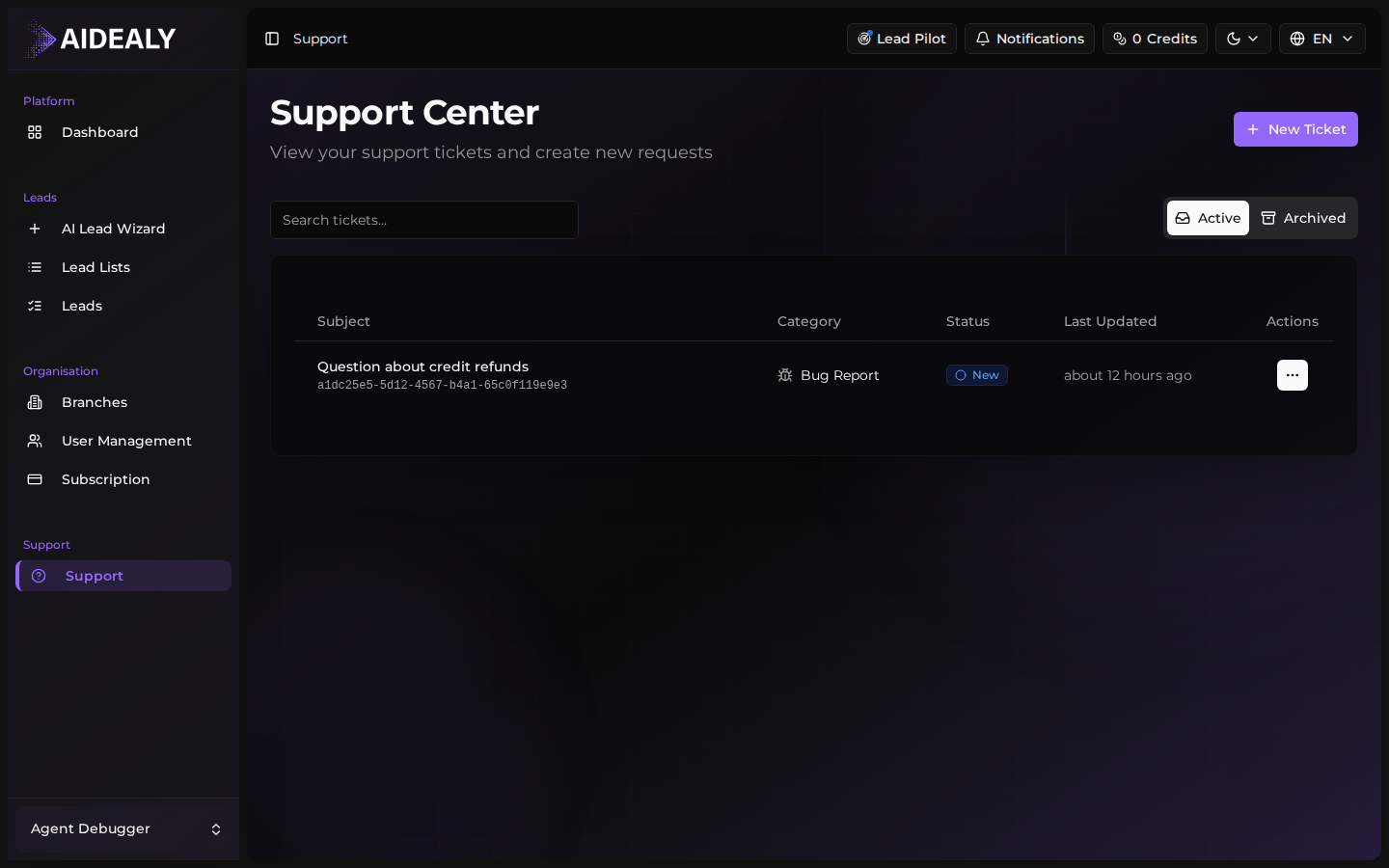
Click Support in the sidebar (under Platform). The Support page lists every ticket you've ever opened, grouped by status — New, Open, Resolved, Closed.
- 2
Click New Ticket
Click New Ticket in the top right. A short form appears asking for a subject line, a category (Bug Report, Question, Feature Request, Billing) and a priority. Pick the closest match — the support team will re-categorise if needed.
- 3
Write a clear description
In the message body, explain what you were trying to do, what actually happened, and any error message you saw. Screenshots help — paste them directly into the editor. The more context you give up front, the faster the back-and-forth.
- 4
Submit
Click Create Ticket. The ticket appears at the top of your list with the status New. You'll see a notification when a support agent picks it up and replies.
Reply to a thread
When a support agent replies to your ticket, you'll see a new entry in the notification center and the ticket's status moves to Open. Open the ticket from the support list to read the reply and continue the conversation in the same thread.
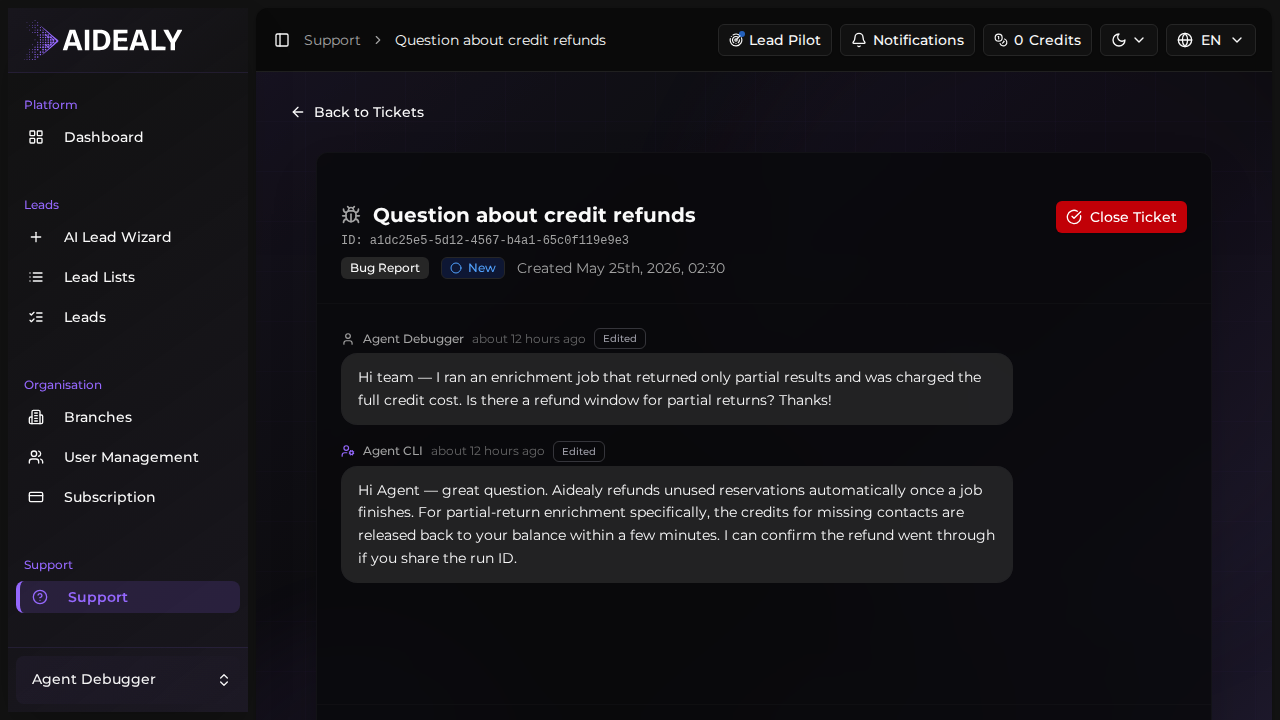
Every message — yours and the support team's — appears in chronological order on a single page. To reply, scroll to the message composer at the bottom, type your response, and click Reply. Your message lands instantly and the support team is notified.
If you need to edit a message you sent by mistake, hover over your own bubble and click the pencil icon. Edited messages are marked as such so the support team can see the history.
Close a resolved ticket
- 1
Open the ticket
From the Support page, click the ticket you want to close.
- 2
Click Close Ticket
At the top of the thread, click the Close Ticket button. Aidealy asks you to confirm. After you confirm, the ticket moves to the Closed group and no new replies can be added.
- 3
Reopen if needed
If the issue returns, open the closed ticket and click Reopen. The ticket moves back to Open and the original thread continues — you don't need to start a fresh ticket and re-explain context.
Email notifications mirror the in-app ones
If you don't have Aidealy open, support replies also reach you by email at the address on your profile. Replying to the email creates a new message in the same ticket thread — there's no separate email-only inbox to manage.