Edit your profile
Update your name, email, and avatar from the settings page.
Your profile is what teammates see next to your name in Aidealy — on lead-detail comments, in the user list, in support tickets. Keeping it accurate matters because most of these touchpoints don't link back to a separate identity system; what's on your profile is what people see.
Edit your details
- 1
Open Settings
Click your avatar in the bottom-left of the sidebar and choose Settings, or navigate directly to
/settings/profile. You'll land on the profile tab by default.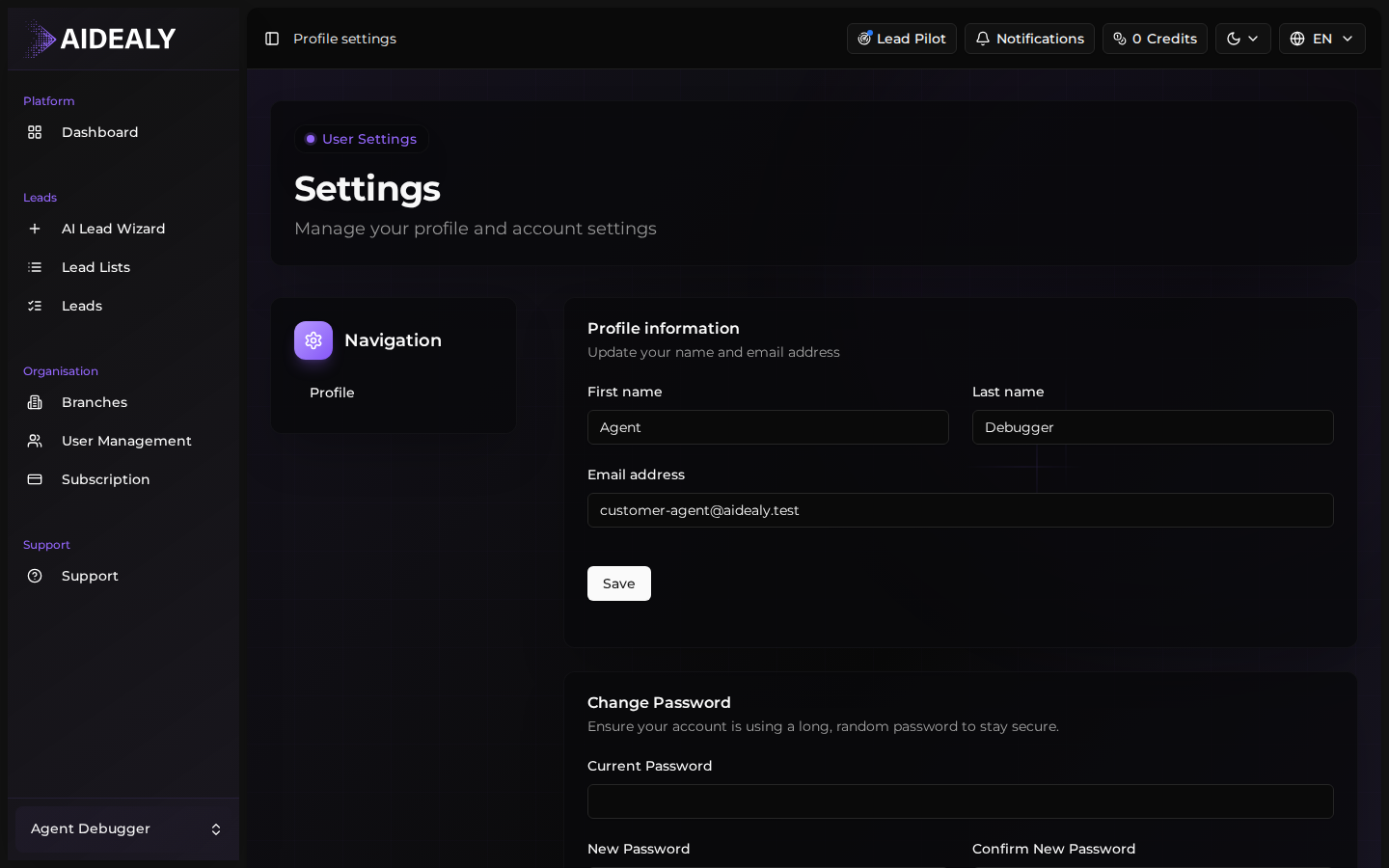
- 2
Update your name and email
Edit the Name and Email fields inline. The email is the address Aidealy uses for notifications and invitations, so make sure it's one you actually check. If you change your email, Aidealy sends a verification link to the new address — click it to confirm the change.
- 3
Upload an avatar
Click the avatar circle to upload an image. Square images work best — Aidealy crops to a circle automatically. Keep the file under 2 MB; PNG and JPG are both supported.
- 4
Click Save
Click Save at the bottom of the form. Aidealy shows a confirmation toast and your new details appear immediately in the sidebar and across the app.
Deleting your account is permanent
Account deletion can't be undone. Everything you've created — comments, support tickets, audit-log entries — stays in your organisation under a "Deleted user" label, but you lose access immediately and can't recover the account. Make sure this is what you want before you click.
Delete your account
- 1
Hand off ownership first (if you're an Owner)
If you're the sole Owner of an organisation, you can't delete your account until someone else takes the Owner role — otherwise the organisation would be left with no one in charge. Promote another member to Owner in the team settings before continuing.
- 2
Open the Danger Zone
Scroll to the bottom of Settings → Profile. The Danger Zone has a single Delete Account button.
- 3
Type your password to confirm
Aidealy asks for your current password as a final safeguard. Type it, click Delete, and you're signed out immediately. A confirmation email is sent to your old address for the record.