Lead Lists overview
A Lead List is a saved search bound to an ICP. This is your control panel for searches and runs.
A Lead List ties an ICP Profile to a target branch and a set of search filters. The Lead Lists page is where you create, run, schedule, duplicate, and archive them — it's the control panel for everything Aidealy fetches on your behalf.
The Lead Lists table
Open Lead Lists from the main navigation. Every Lead List you have access to in the current branch appears as a row in the table, with its name, the ICP it's bound to, the schedule, the last run, and how many leads it has produced so far. Search, sort, and tag-filter live at the top of the table; the per-row menu on the right gives you run, edit, duplicate, archive, and delete actions.
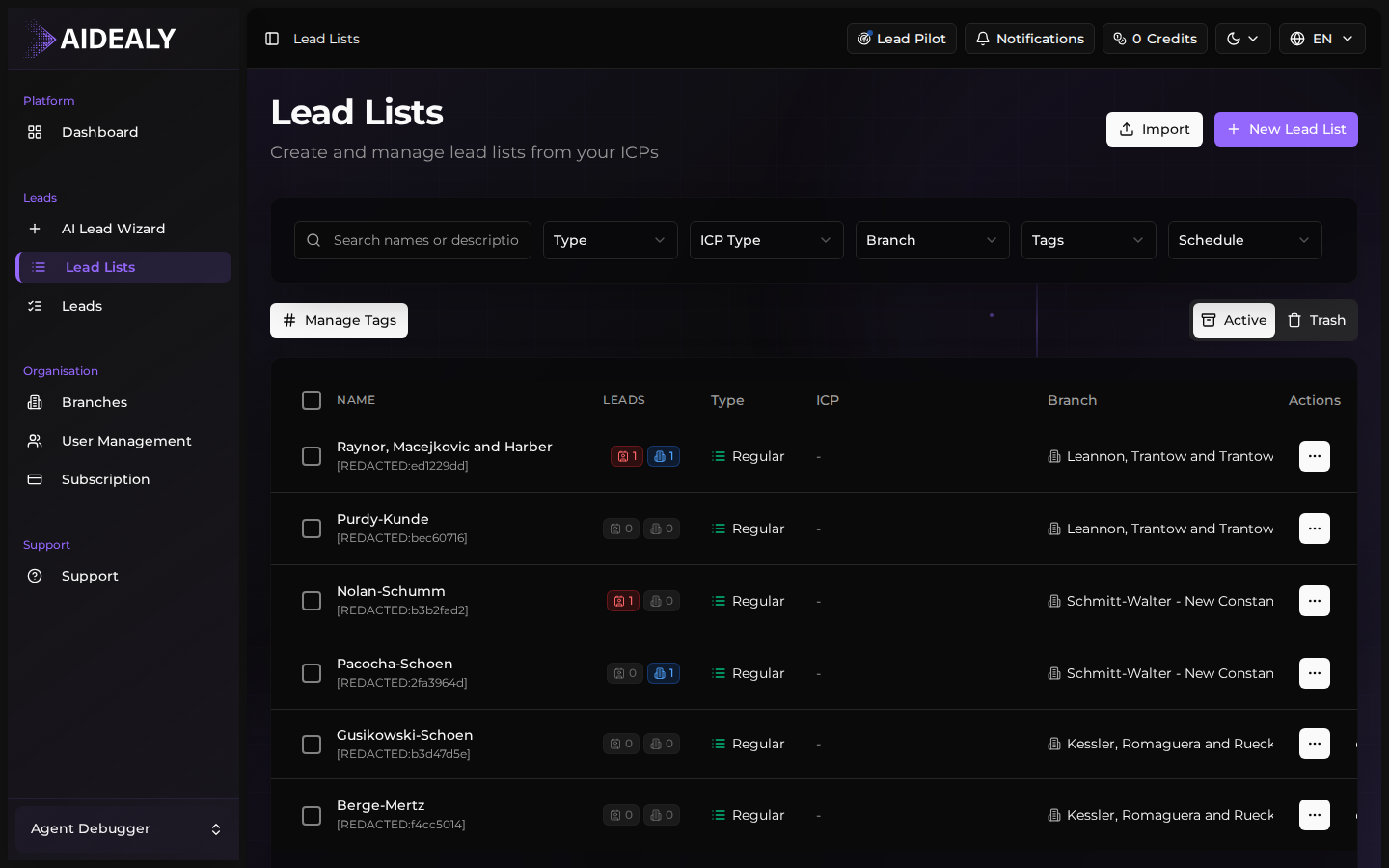
What each column means
Each column on the Lead Lists page tells you a different piece of context. Use them together to decide which lists deserve another run and which are doing their job on a schedule.
| Column | What it tells you |
|---|---|
| Name | The label you gave the list — usually a slice of your ICP or a campaign name. |
| ICP Profile | Which ICP this list runs against. Edit the ICP and every future run uses the new definition. |
| Schedule | Whether the list runs on demand or on a cadence (daily, weekly, monthly). |
| Last run | When the list was last executed. Empty means it has never been run. |
| Leads | Total leads currently in the list (companies + contacts). |
| Actions | Per-row menu for run, edit, duplicate, archive, and delete. |
Lead Lists belong to a branch
Every Lead List is scoped to one branch. If you work across multiple branches, switch branches from the top-right selector to see the corresponding lists — Aidealy never mixes leads between branches.