Choose a subscription plan
Compare plans and check out securely via Stripe.
Aidealy ships several subscription plans tuned to different team sizes and monthly volumes. All plans include the same features — the difference is how many credits you get each month and your effective cost per lead. This article walks through comparing plans and checking out securely through Stripe.
Compare plans
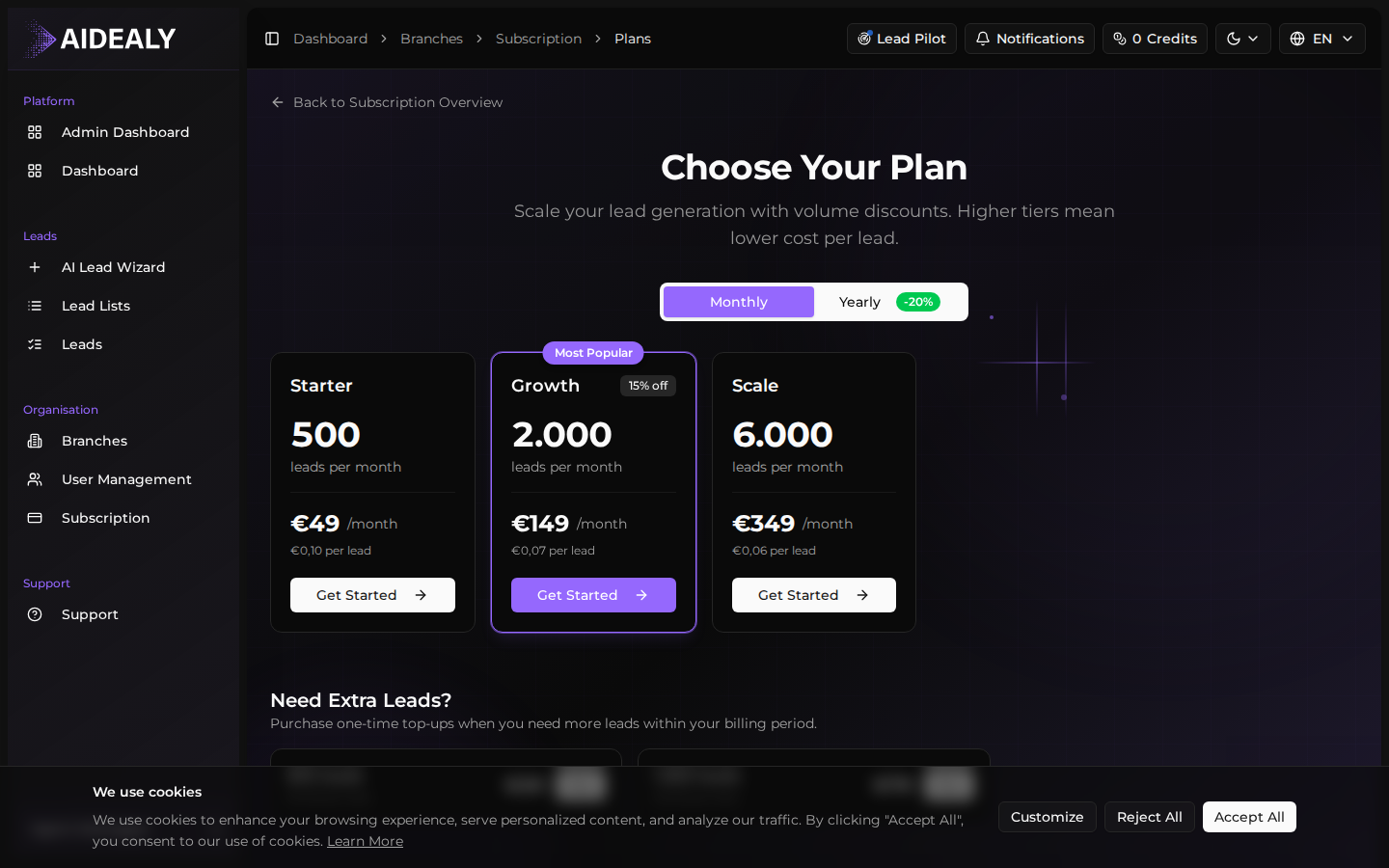
Open the Subscription page from the main navigation, then click View Paid Plans (or Change Plan if you already have one). You'll see every available tier side-by-side with the credit allowance, the monthly price, and the effective cost per lead.
The Most Popular badge marks the tier most teams in your size range choose. There's also a Monthly / Yearly toggle — switching to yearly applies a 20% discount on every tier.
Check out
Once you've picked a plan, the rest is a guided checkout flow that hands you over to Stripe for payment, then drops you back into Aidealy with your subscription active.
Subscribe to a plan
- 1
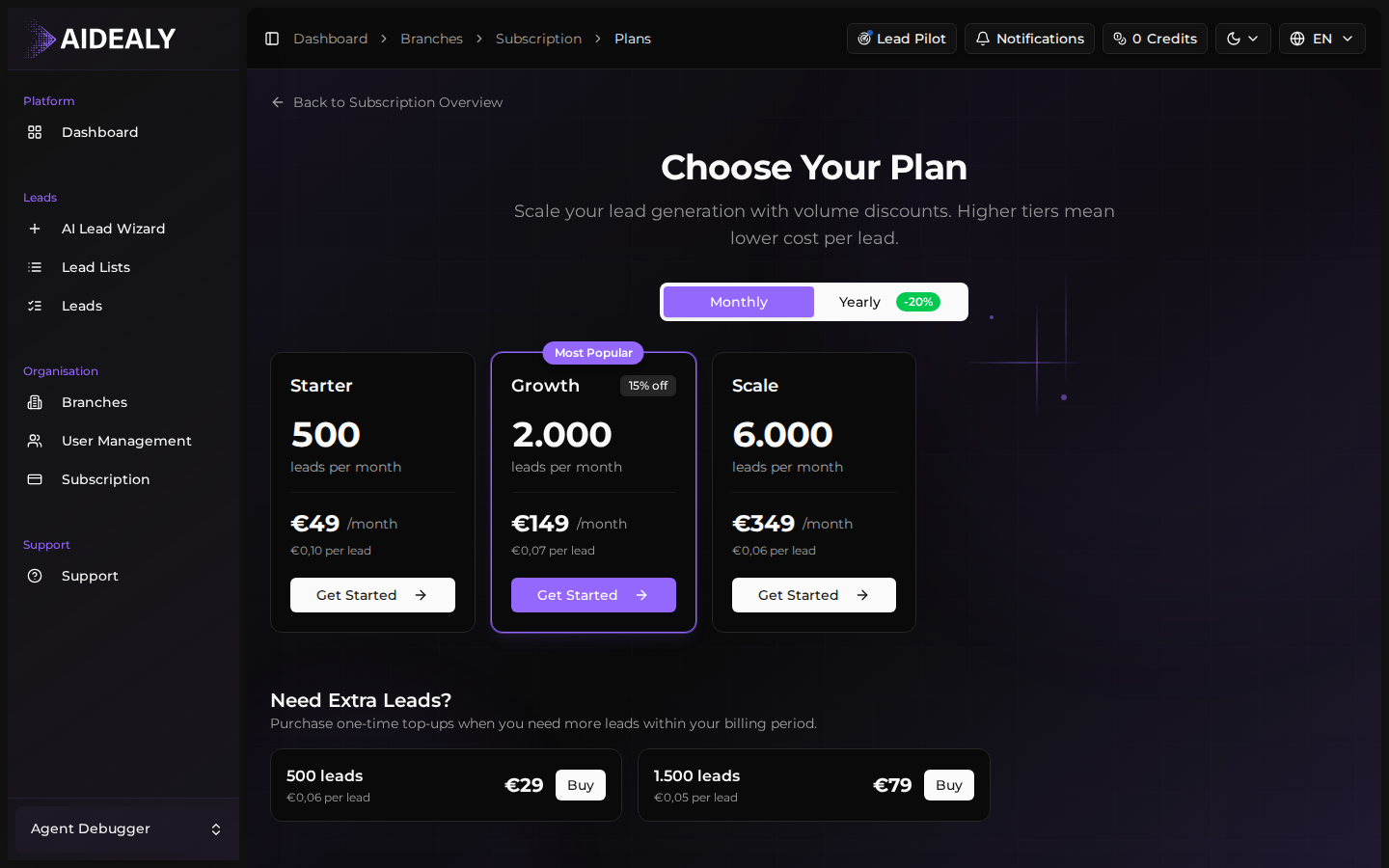
Click Get Started on the tier you want
On the Subscription Upgrade page, find the tier that fits your monthly volume and click Get Started. Aidealy opens a Stripe-hosted checkout page in the same tab.
- 2
Pay with Stripe
Enter your card details, billing address and email on the Stripe page. Aidealy never sees your card number — Stripe holds it. If your bank requires 3-D Secure verification, you'll be prompted for it before the charge goes through.
- 3
Wait for the redirect
After the payment confirms, Stripe redirects you back to your Subscription page. Your new plan, credit balance and renewal date are all visible immediately. A confirmation email lands in your inbox a few seconds later.
Monthly vs yearly
Yearly billing saves you 20% on every tier. You're charged once at signup and Aidealy issues monthly credits as if you were on a monthly plan. You can switch between monthly and yearly at any time — the change takes effect on your next renewal.