Buy credit topups
Need more credits this month? Buy a one-off topup that adds to your balance immediately.
Topups are one-off credit purchases. They add credits to your balance right away, don't recur, and don't change your subscription. Use them whenever a busy month outruns your plan's monthly allowance — and you only pay once.
Pick a topup size
- 1
Open the Subscription page
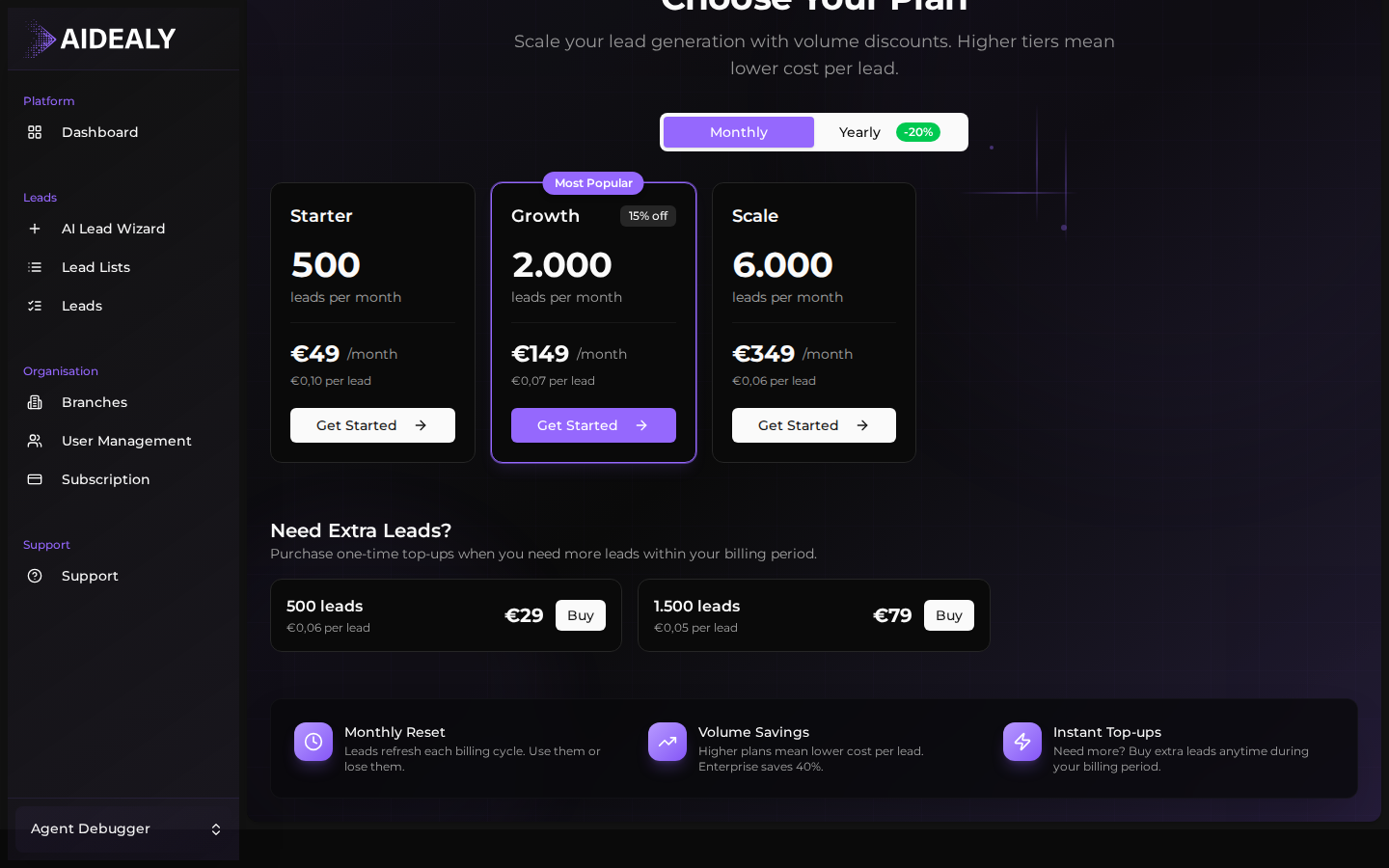
From the main navigation, click Subscription. Topups sit on the upgrade view — click Change Plan (or View Paid Plans if you don't have a subscription yet) and scroll down to Need Extra Leads?.
- 2
Choose a topup package
Each card shows the credit count, the effective cost per credit, and the total price. Larger packages are cheaper per credit. Click Buy on the size you want.
- 3
Pay with Stripe
Aidealy hands you over to Stripe for payment. If you've already saved a card, Stripe pre-fills it and you can confirm in one click. Otherwise, enter your card details — Aidealy never sees the card number.
- 4
Credits land instantly
After the payment confirms, Stripe redirects you back to the Subscription page and the new credits show up in your balance immediately. The invoice for the topup is also added to your billing history.
Confirm and check out
- 1
Review the package
The Stripe checkout shows the topup name, the number of credits, and the total price including VAT where applicable. Take a moment to confirm the size is what you wanted before paying.
- 2
Pay and return to Aidealy
Submit the payment. Once Stripe confirms the charge, you're redirected back to Aidealy and the credits are available to spend on your next search or enrichment.
- 3
Download the invoice
The invoice for the topup is added to your billing history automatically. Open the Invoices page any time to download a PDF for your records.
Topup credits never expire
Unlike monthly plan credits, topup credits don't expire at the end of your billing period. They stay in your balance until you spend them — even if you cancel and re-subscribe later.