Build an ICP with the AI chat
The fastest path: have a short conversation with the AI assistant — it already knows your branch profile and proposes a complete ICP you can refine.
The AI chat is the recommended way to build your first ICP. Instead of filling a multi-step form, you have a short conversation with the assistant — it asks the right questions, infers your structured selections from your answers, and proposes a complete ICP that you can review before saving. Most teams finish in three to five minutes.
Why we recommend the chat
The chat already knows your branch profile — your industry, location, headcount and the narrative you wrote about what your branch sells. It uses that context as a starting point, so you only need to answer the questions your branch profile can't already answer. If you'd rather fill the structured form yourself, the manual wizard is one click away.
Open the AI chat
From the sidebar, click AI Lead Wizard. If you have more than one branch, pick the one this ICP is for — the AI uses that branch's profile as context. The chat opens with a welcome message and the manual / AI toggle visible at the top of the wizard.
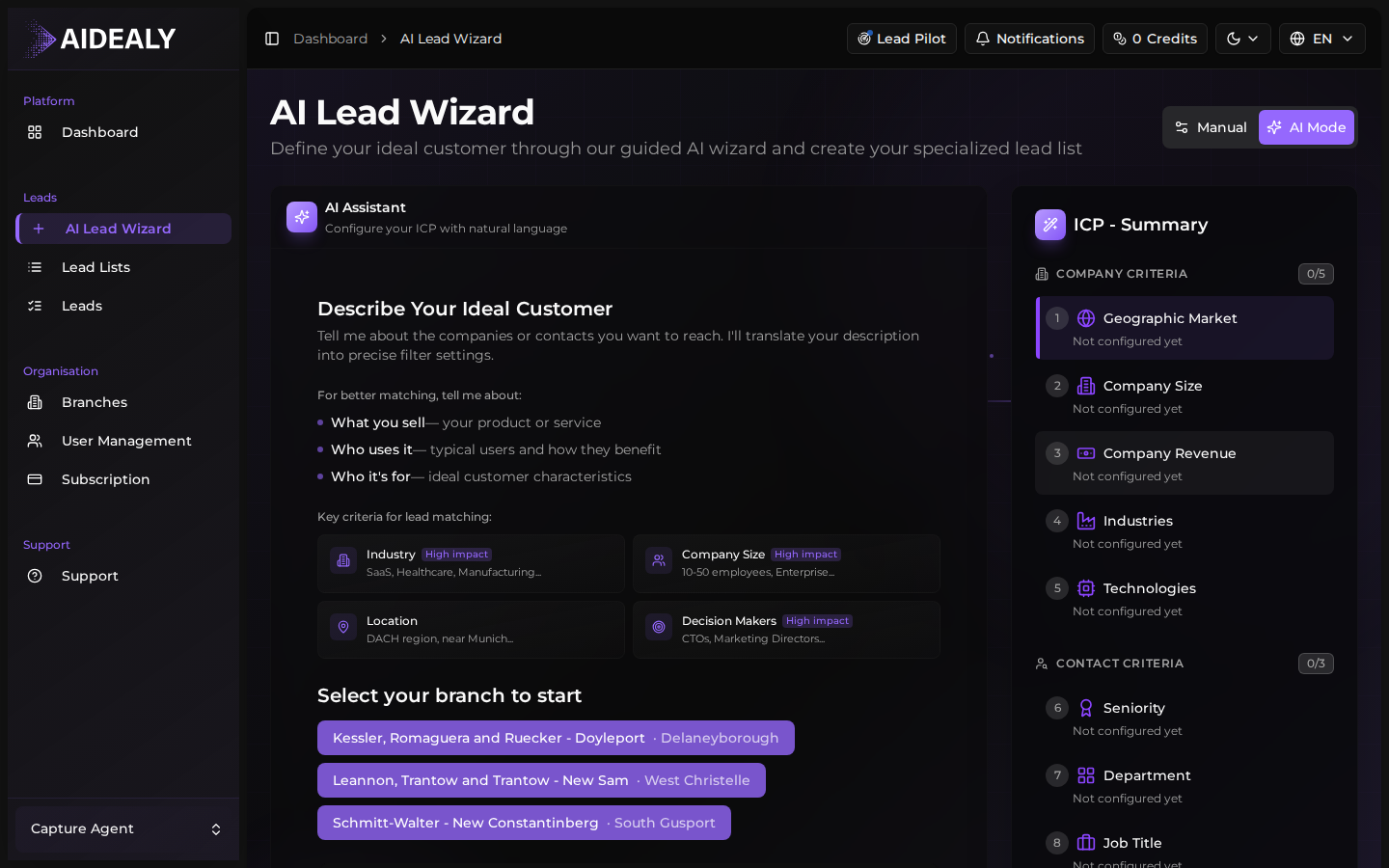
What the chat already knows about you
Before you type anything, the assistant has already loaded a context block built from the branch you selected:
| Branch field | Used by the chat to… |
|---|---|
| Branch name & domain | Identify your company and skip introductions. |
| Location (city + country) | Anchor the geographic scope of the ICP suggestions. |
| Organisation size | Tune the company-size range it proposes for your customers. |
| Branch profile narrative | Understand what you sell and to whom — this is the strongest signal it uses. |
Branch profile not filled in yet?
The chat will still work, but it'll ask you more questions up front. For best results, set up the branch profile first — see Edit a branch profile. You can also paste a short pitch into the chat instead.
How the conversation works
- 1
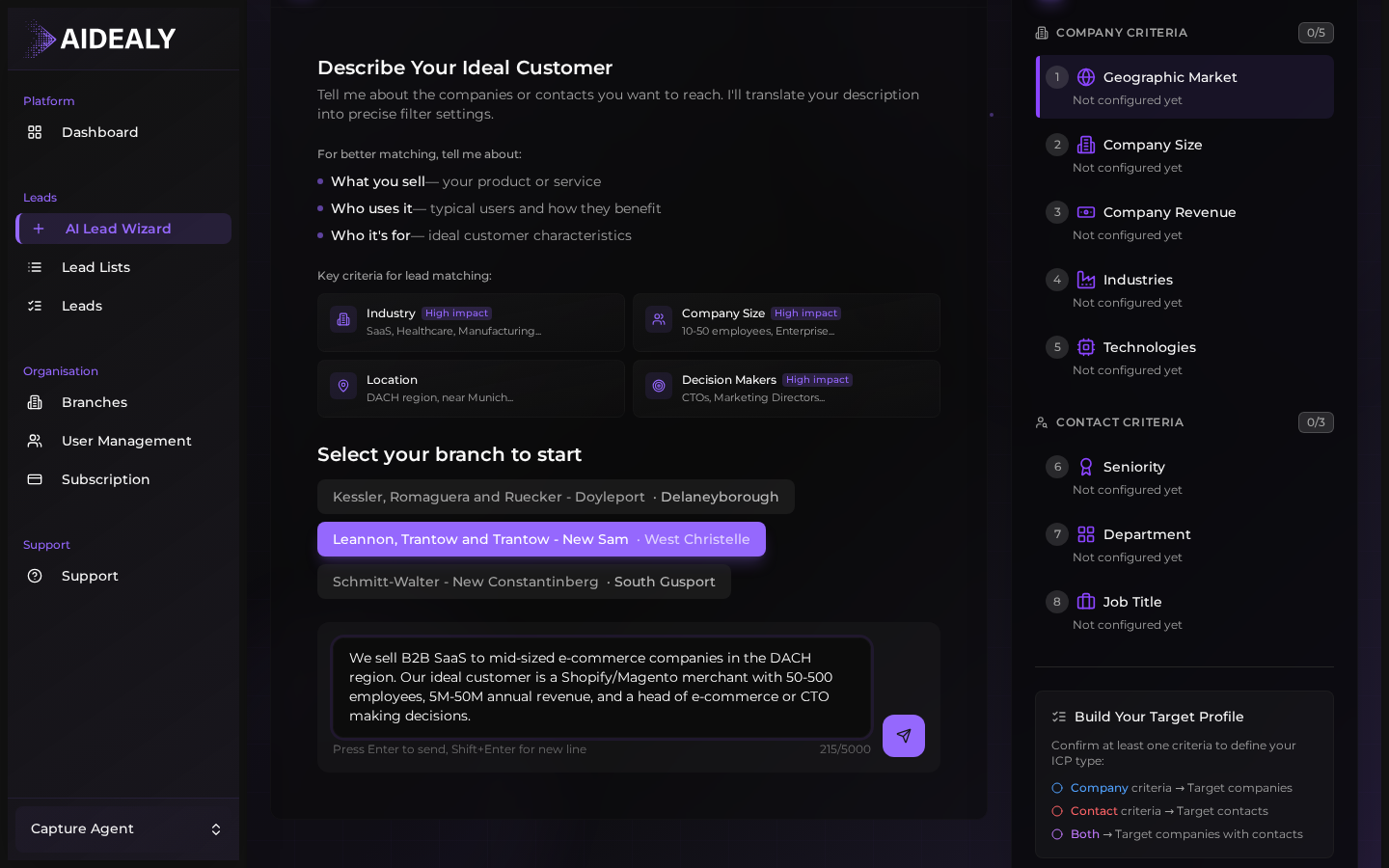
Tell it what your best customers look like
You don't need to use any special syntax. Describe your customers the way you would in a sales call: "We sell to mid-market logistics companies in DACH that have outgrown their TMS." The assistant picks out the industry, geography and company-size cues from that sentence alone.
- 2
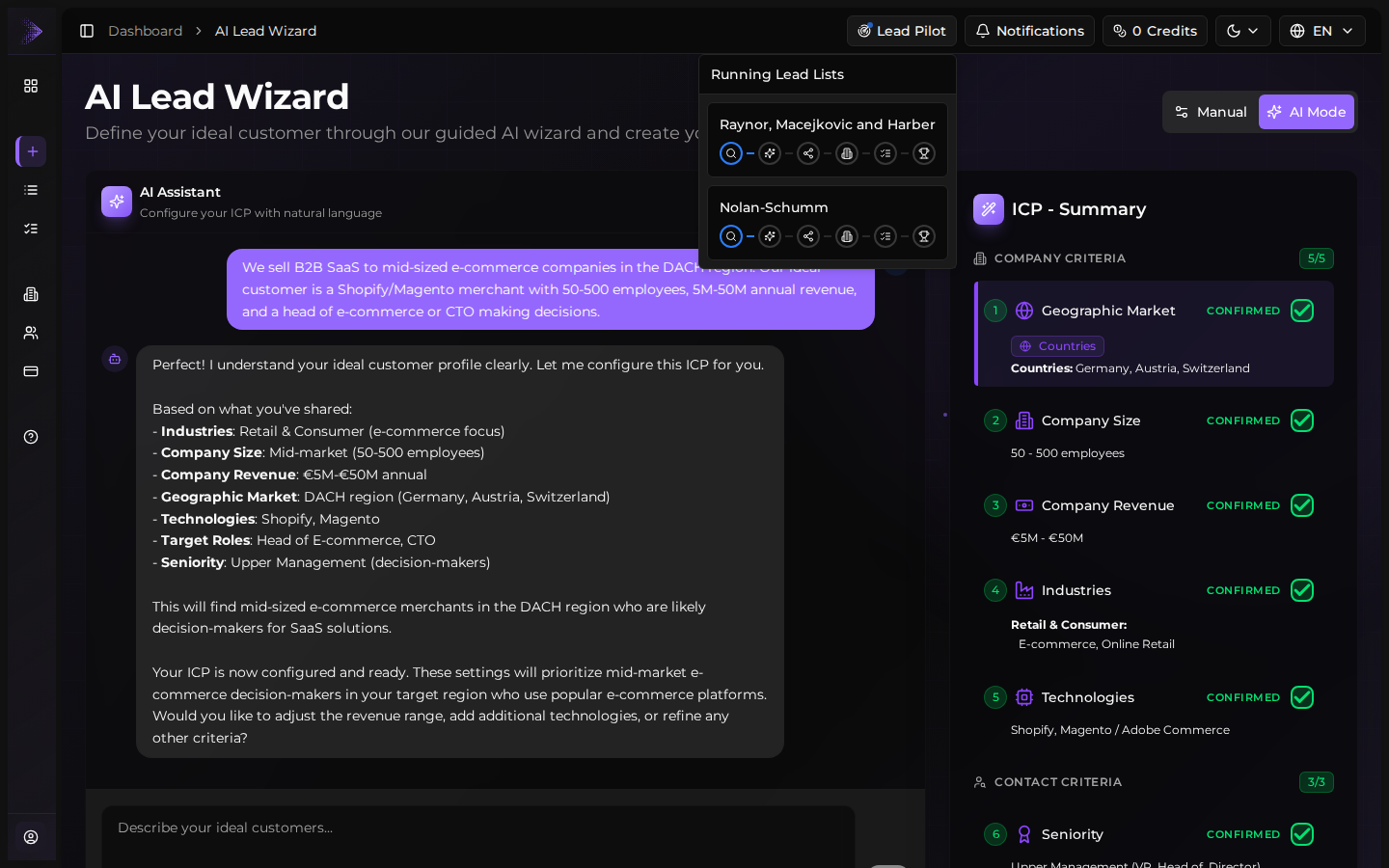
Watch the selections panel build itself
As you reply, the assistant proposes structured selections — industries, geography, headcount range, decision-maker roles, signals — and shows them in the side panel. Every selection is editable; tick or untick suggestions and the chat adapts.
- 3
Answer the follow-ups the chat asks
The assistant only asks for what it can't infer. If your branch profile already implies a region or company size, it skips those. Typical follow-ups: "Which seniorities should we target?", "Any technology stack that matters?", "Companies you'd exclude?". You can always answer with "skip" or "you decide".
- 4
Review the proposed ICP
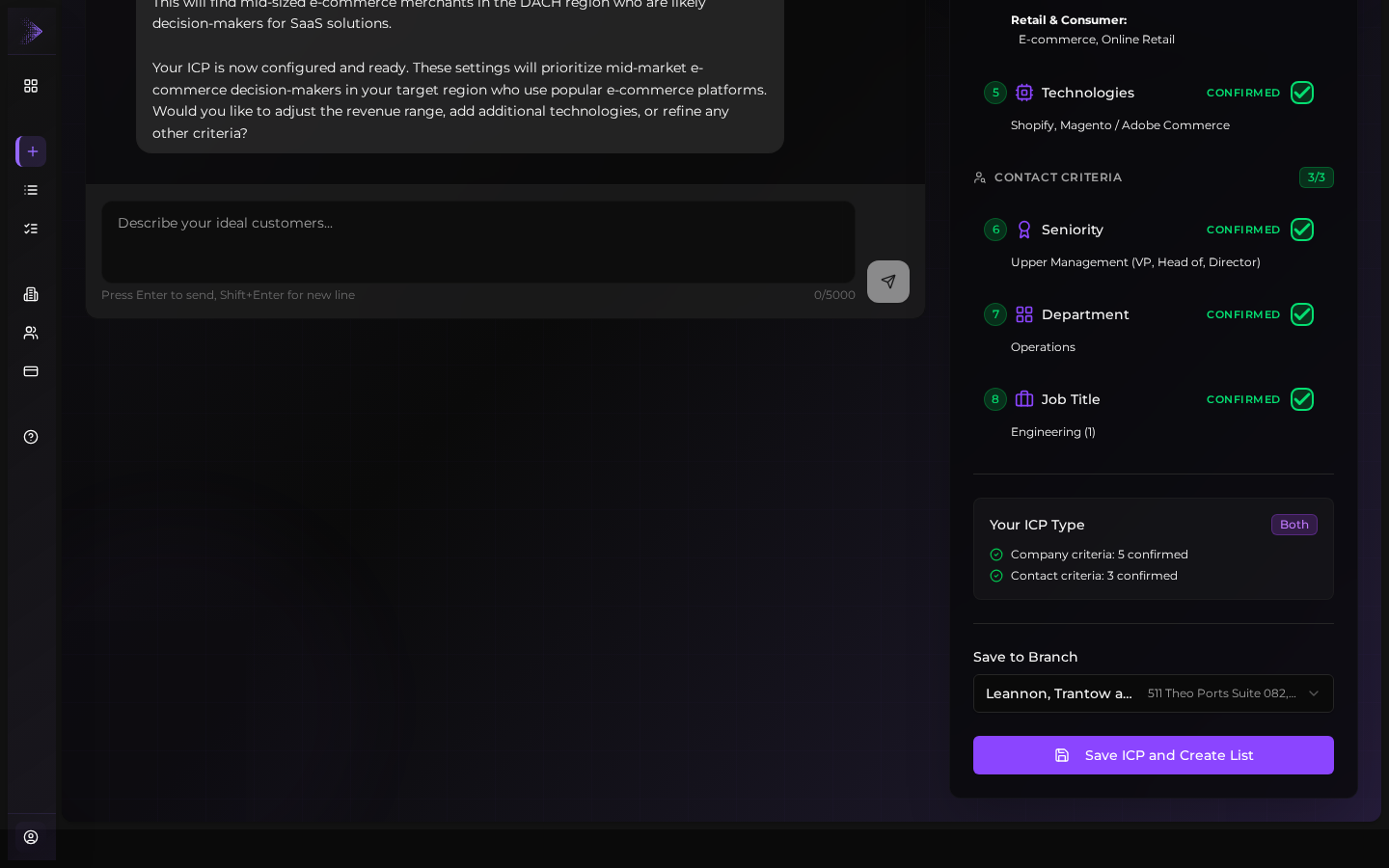
When the assistant has enough, it proposes a complete ICP — name, description, all selections in one panel. Read it carefully. Adjust anything that doesn't match your gut. You can click straight into any field and edit, or ask the chat to change it ("make the company size smaller", "add a Fintech industry").
- 5
Save and run
Click Save. Aidealy creates the ICP, spins up a first Lead List against it, and starts an initial search run. Within a few minutes the Leads Hub fills with companies and contacts scored against the ICP you just shaped.
Switch to manual at any time
The same wizard surface has a Manual toggle. Flip it whenever you want to drive the form yourself — your existing selections carry across, so you can use the chat to get a rough ICP in two minutes and then fine-tune the structured fields by hand. For full coverage of the manual form, see Build an ICP with the wizard.
Iterate after the first run
Don't spend more than five minutes on your first ICP. Save it, look at the first batch of scored leads, then come back and refine. The chat is great for the first draft; the leads themselves tell you what to tighten.