Browse and manage your ICPs
Search, duplicate, export or restore archived ICPs from the ICP archive.
Every ICP you create lives in the ICP archive. From here you can filter, duplicate, export, restore deleted profiles, and jump straight into the Lead Lists each ICP powers. Think of it as your library of customer definitions — the source of truth for who your team targets.
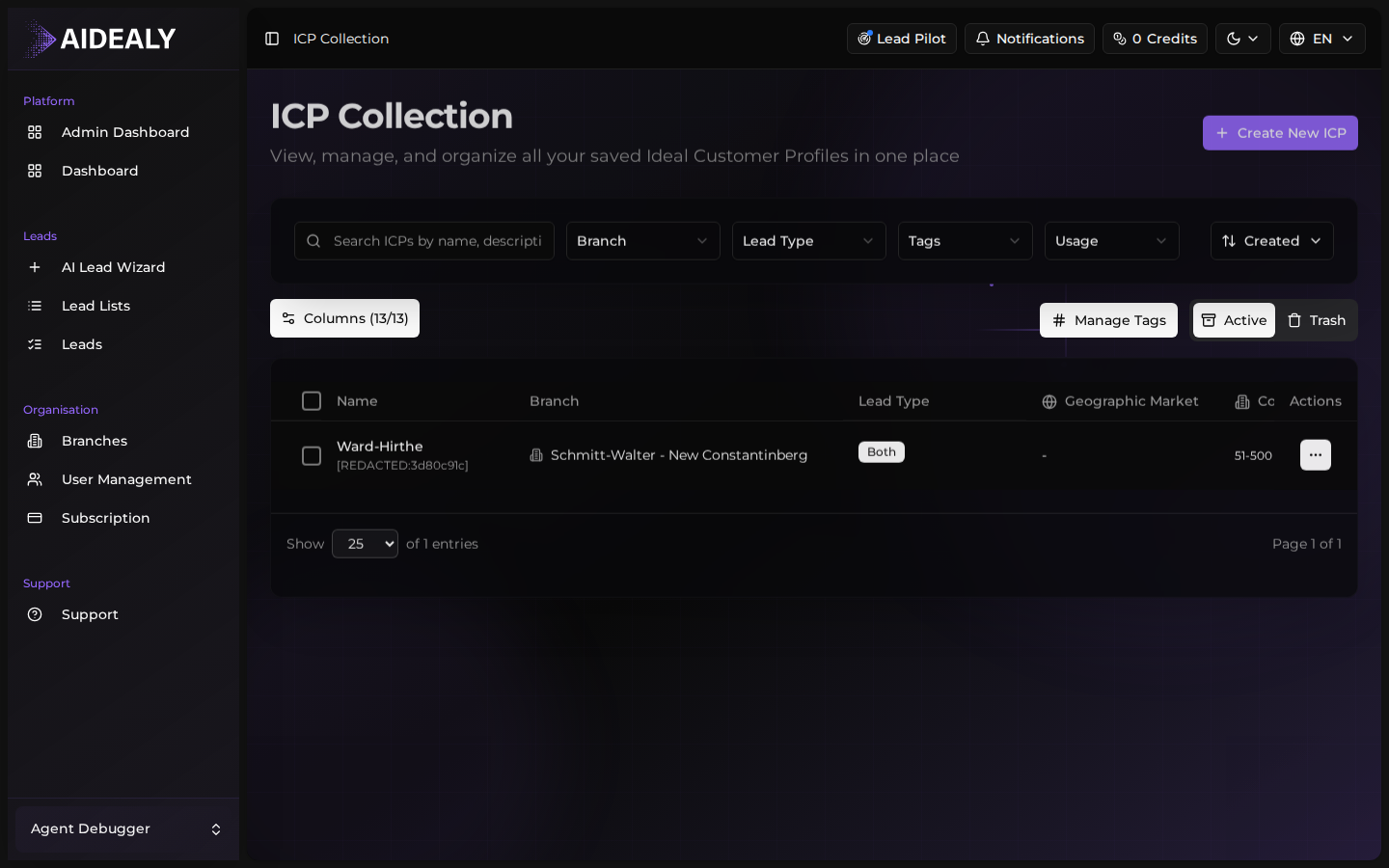
The archive table
The archive table shows every ICP in your organisation, with columns for name, owner, branch, number of leads matched, and last updated. Use the search box to filter by name, and the column headers to sort. Click any row to open that ICP — from there you can see its full structure, edit it, or jump to the Lead Lists that use it.
Bulk actions
- 1
Select multiple ICPs
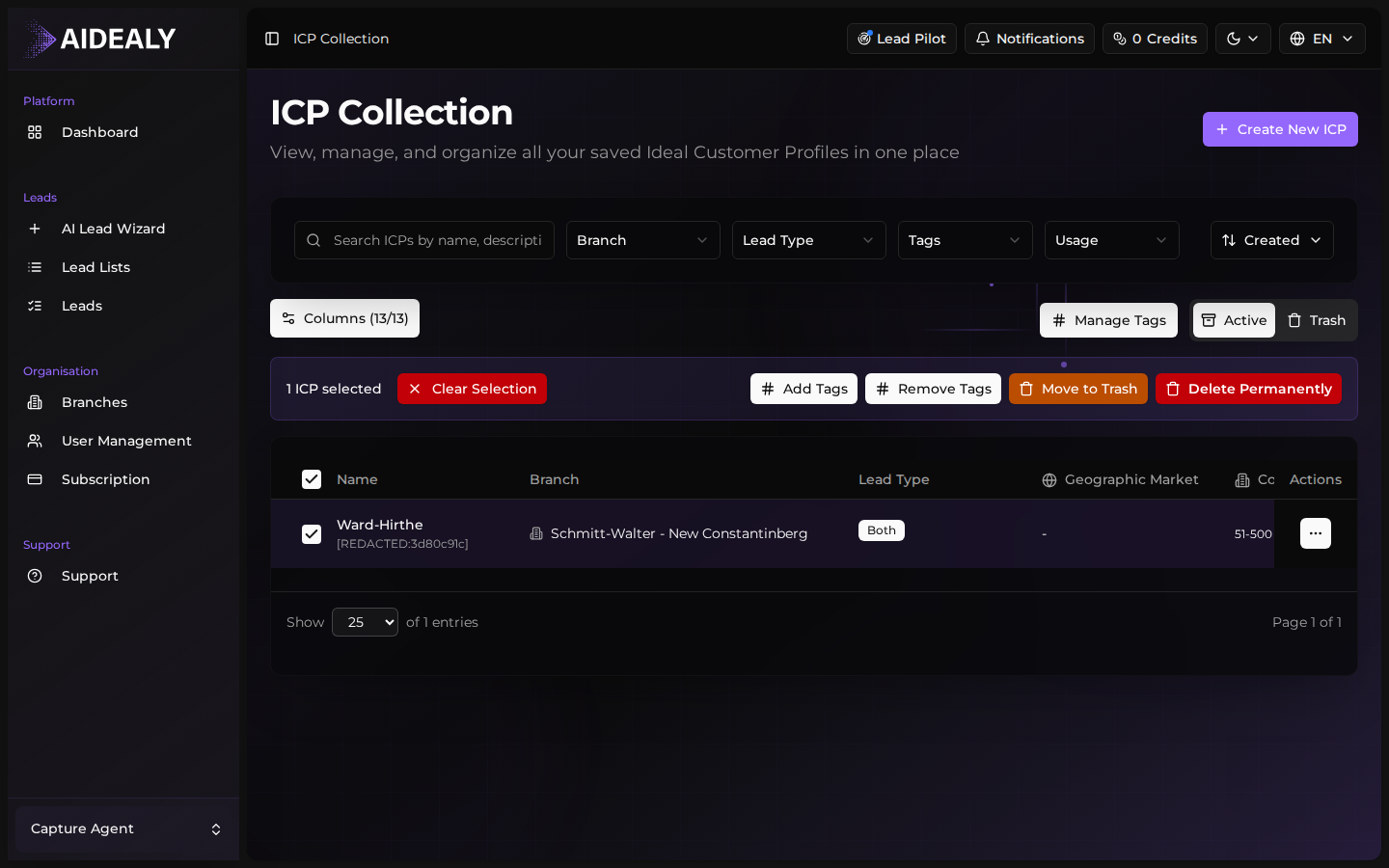
Click the checkbox at the top of the table to select every row at once, or pick individual rows by checking each one. The bulk toolbar appears as soon as one row is selected.
- 2
Pick a bulk action
From the toolbar, choose what to do with the selection: Duplicate creates copies you can tweak independently, Export downloads them as JSON for backup or migration, Archive soft-deletes them (they're still recoverable), and Restore brings archived ICPs back.
- 3
Confirm
Most bulk actions run instantly. For destructive ones (archive, hard delete) you'll get a confirmation dialog so you can't fat-finger your way into losing data. Confirm to apply the action to every selected row.
Archived ICPs are recoverable
Archiving an ICP doesn't delete it permanently — it's hidden from the default view but still in the database. Use the filter toggle to show archived ICPs, then bulk-restore the ones you want back. A hard delete is a separate action and asks for explicit confirmation.